
For organizers
Event drafts and modules
Every Evittone event starts as a draft. You fill in the event details, switch on the modules you need, and publish when it is right.
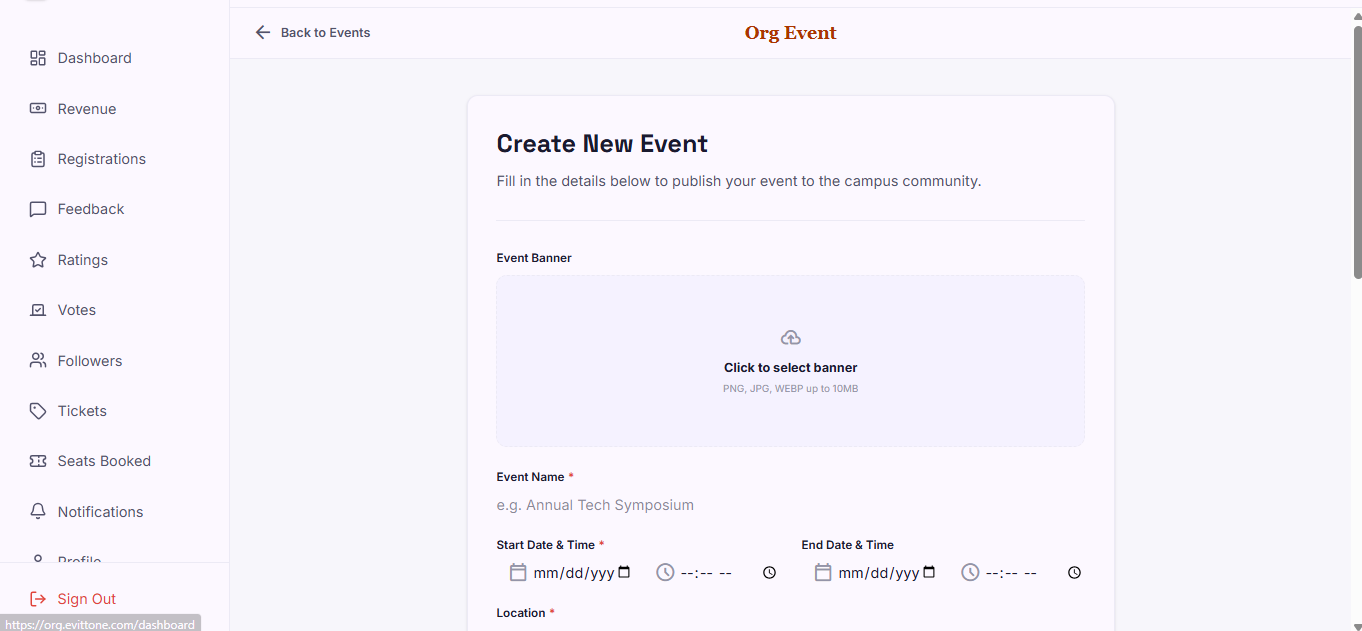
This guide follows one event from an empty form to a published event page.
An Evittone event is not live the moment you create it. It lands in your drafts, where you can take your time, turn on only the modules the event actually needs, and publish when the details are correct.
Before you start
To run events on Evittone you need an active organizer account. If you have not applied yet, start with For Organizers.
Step 1: Create the event
- Open your organization dashboard and create a new event.
- Add a banner image.
- Give the event a name.
- Set the start date and time, and the end date and time.
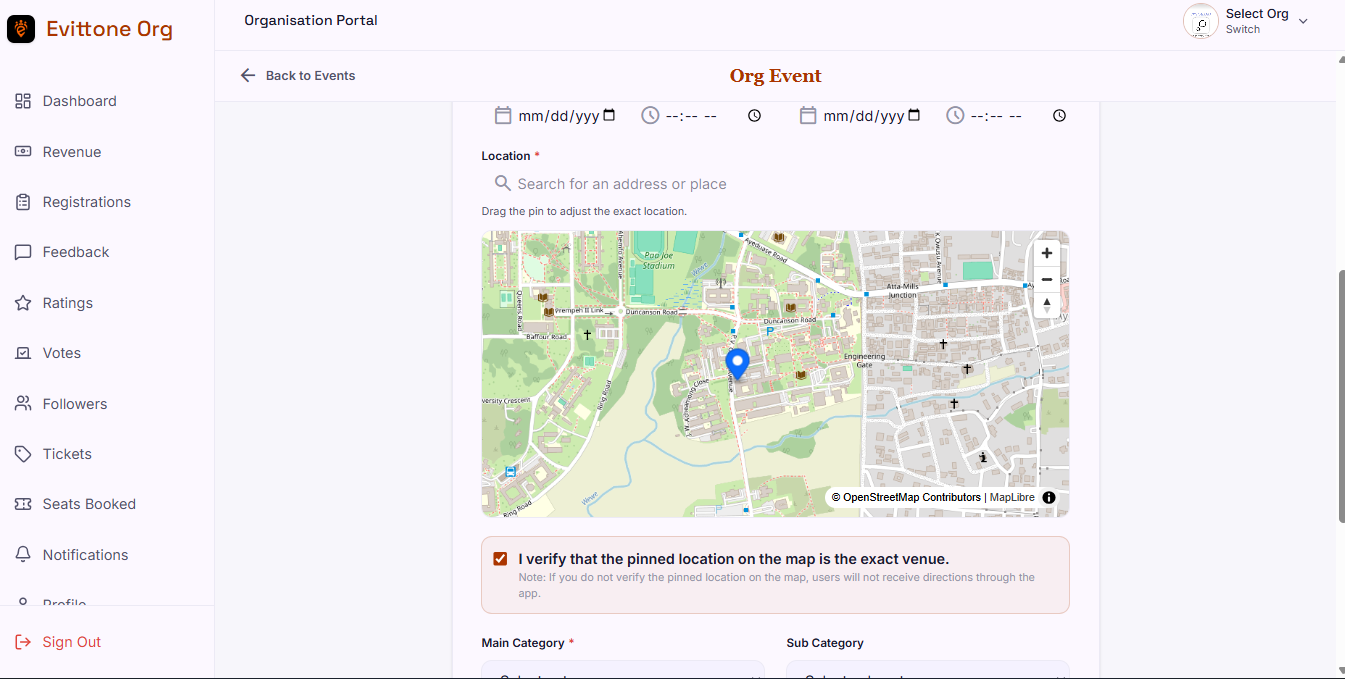
- Set the location. You can search for a place, or drop a pin. A map preview shows you where the pin landed.
- Choose the main category, then the subcategory.
- Write the description.
Step 2: The event is a draft
Saving does not publish the event. Your work goes to Drafts, where you can keep editing it. Nothing appears on the Evittone map and nothing is searchable until you publish.
The draft is also where you add modules.
Step 3: Turn on the modules you need
From the draft, tap each module to enable it:
- Seat booking — attendees hold a place in the room.
- Registration — attendees fill in a form.
- Tickets — attendees pay and get in with a QR code.
- Voting — attendees vote on a question or nominate.
- Feedback — verified attendees leave written feedback.
- Rating — verified attendees rate the event out of five.
- Attendees (check-in) — you scan tickets to confirm who is at the door.
You are not forced to switch everything on. An event with only ratings does not need tickets. An event that needs the room full does.
Step 4: Set an end date where a module asks for one
Feedback and rating both ask for an end date. After it passes, the module closes itself and nobody can add anything new.
Step 5: Publish
When the details are right, publish the event. It goes onto the map, it becomes searchable, and the modules you enabled become live for attendees.
What attendees see
- Nothing at all while the event is a draft. A draft is private to you.
- After publishing, an event tile on the map and in the event list, with the banner, name, category, dates, location, and description.
- A seat counter, a registration form, ticket tiers, a vote, a rating, or a feedback form, depending on which modules you turned on.
Tips
- Publish only when the location pin is right. Attendees get directions to that pin.
- Turn on rating even for a small event. Ratings come only from people who scanned in, so they are the one thing you cannot get back later.
- Set the end date on feedback and rating while you are still in the draft. It is easier to add than to remember.