
-
Book a Seat
Reserve your place in the room without paying yet. A booked seat on its own does not get you in.
-
Get Tickets
Buying a ticket generates a QR code you show at the event. Only ticket holders get in.
-
Paid tickets sell out first
If paid tickets sell out, the unpaid booked seats are released, so the room is never held by seats nobody paid for.
-
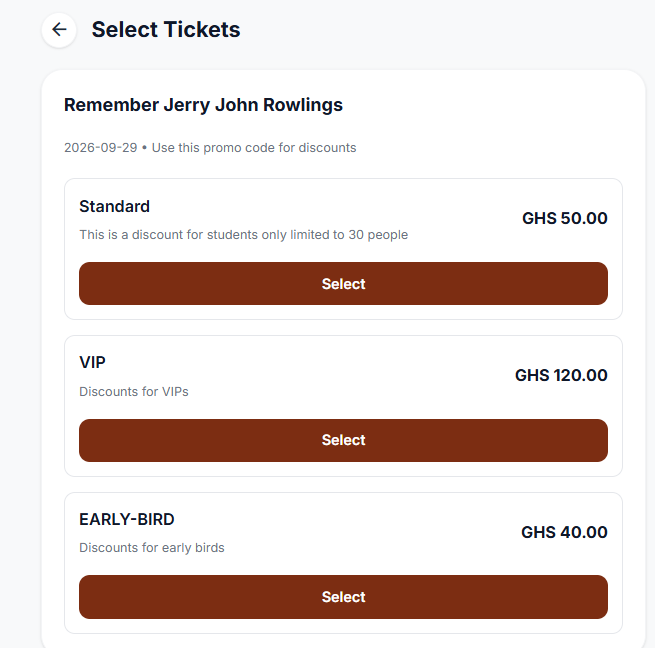
Ticket types
Standard is the first tier, and organizers can add any number of further tiers with their own names, such as VIP or Enterprise.
-
Paystack payments
Pay with mobile money through MTN, Telecel, or AirtelTigo, or pay by card.
-
Cancel and refund
Cancel a booking, request a refund, and the organizer approves it. Approved refunds go back to the original payment method. If a refund is never processed, raise it as a complaint from the Help Center.
Seats and tickets are two different things in Evittone, on purpose. A seat tells the organizer how full the room is. A ticket is what gets you through the door.
Selling tickets
The organizer sets the ticket tiers, and each tier is listed with its own price.
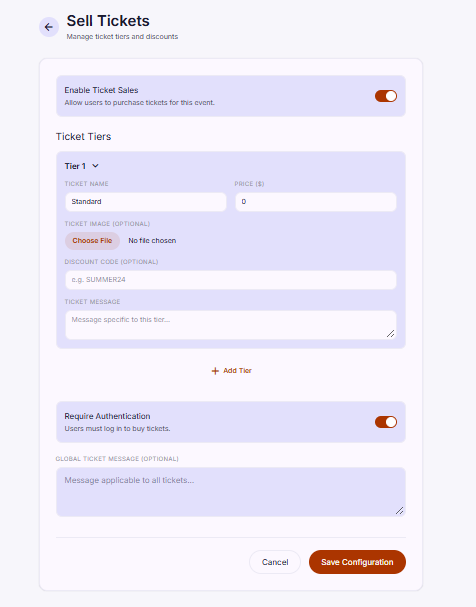
Organizers: the Ticketing guide covers tiers, ticket messages, payments, seats, and refunds in full.
Explore the other features
- Discover and MapsFind events on a map, filter them the way you like, and get directions to the venue.
- VotingLet attendees vote on the things that matter, from a simple question to advanced ballots.
- Ratings and FeedbackRatings only from verified attendees, so the average you see comes from people who were there.
- Community PostsAnnounce what is happening, share it with the community, and keep everyone in the loop.
- FollowingFollow organizations, get notified when they announce something, and catch up in one feed.